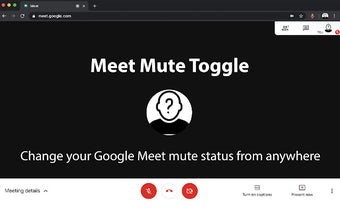
Meet Mute Toggle: Conveniently Toggle Mute in Google Meets
Meet Mute Toggle is a free browser extension for Google Chrome developed by Rob Cortez. It is designed to provide a convenient way to toggle mute on or off in Google Meets, whether you are actively participating in the meeting or just passively listening.
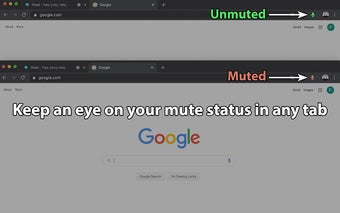
With Meet Mute Toggle, you no longer have to waste time searching for the meeting tab among your numerous open tabs. It offers an easy-to-identify green or red icon that indicates the mute status of the meeting. Simply click on the icon to toggle the mute status, regardless of which tab you are currently on.
One of the standout features of Meet Mute Toggle is its global hotkey support. This means that you can toggle mute even if your browser is not in focus. On MacOS, the default hotkey is CMD+Shift+0, while on Windows and Linux, it is CTRL+Shift+0.
The recent update of Meet Mute Toggle also includes support for the new Meet UI and URL scheme, ensuring compatibility with the latest changes in Google Meets.
Say goodbye to those awkward moments when you realize you were muted during an important meeting. Meet Mute Toggle is here to save the day and spare your colleagues from uncomfortable silence.